
Bot Call Hang up Immediately After Being Answered
1. Inbound Calls
Go to Call Center -> Inbound Call Records.
Find the call record and check the Hangup Cause field.
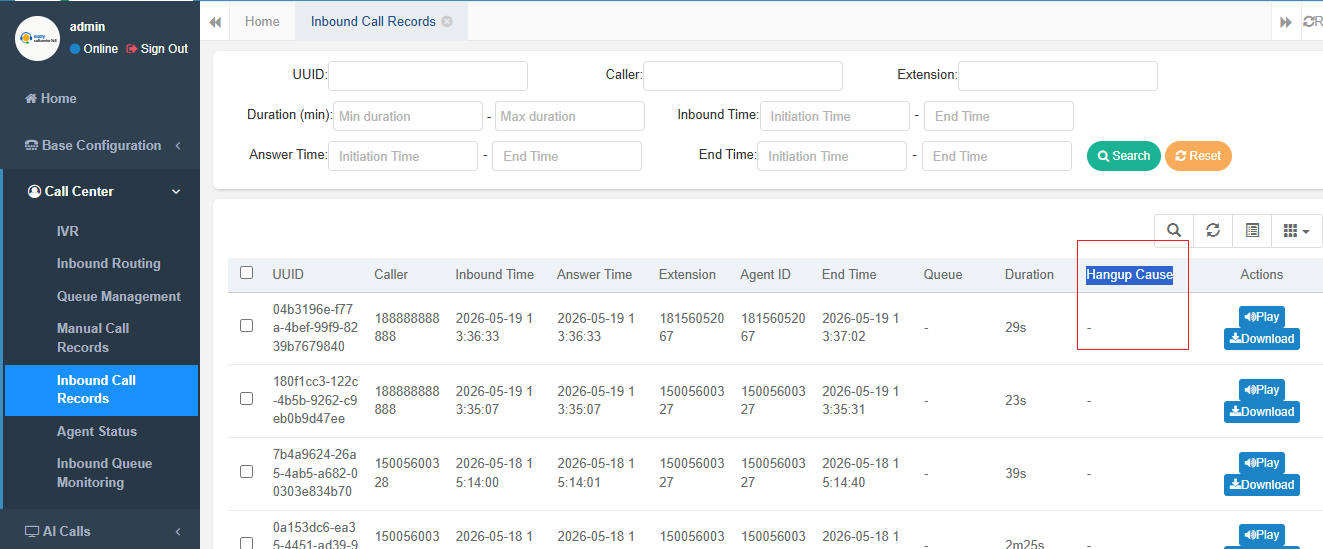
To further check the detailed call logs, copy the Call UUID,
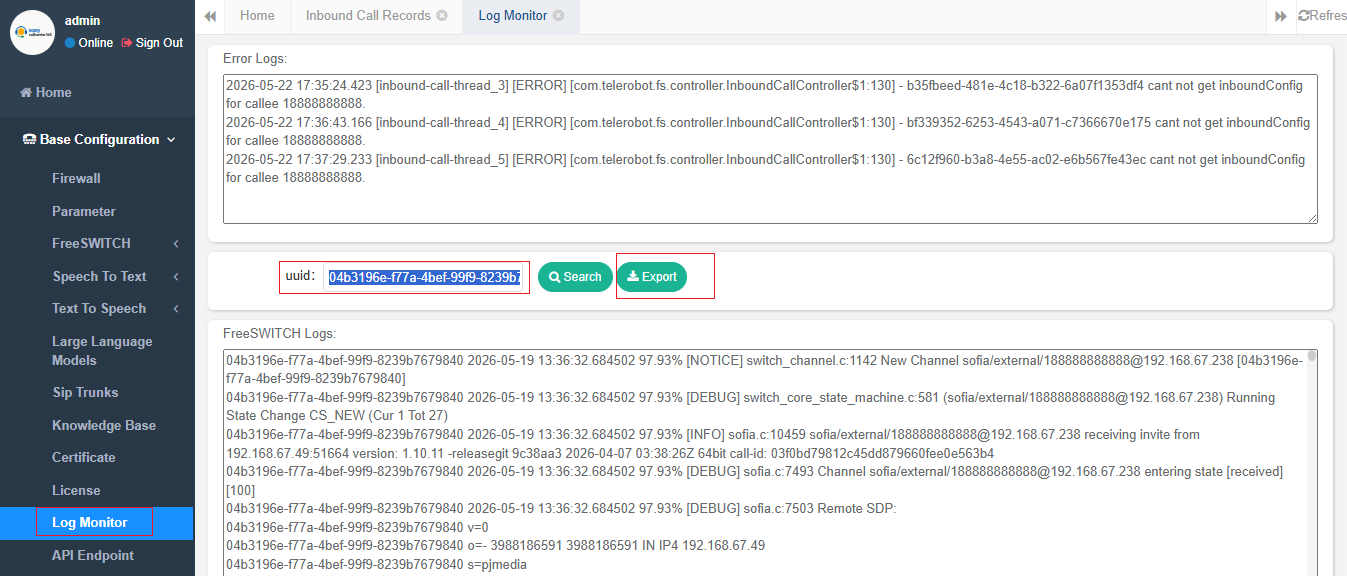
then go to Basic Configuration -> Log Monitoring to search the logs.
You can also click the Export button to export the log details and send them to pre-sales support for technical assistance.
2. Outbound Campaigns
Go to AI Call Records and check the Hangup Cause field.
To further check the detailed call logs, copy the Call UUID, then go to Basic Configuration -> Log Monitor to search the logs.