
windows下使用VMware快速部署
- 下载并安装VMware workstation pro
VMware workstation pro目前已经可以免费下载使用。
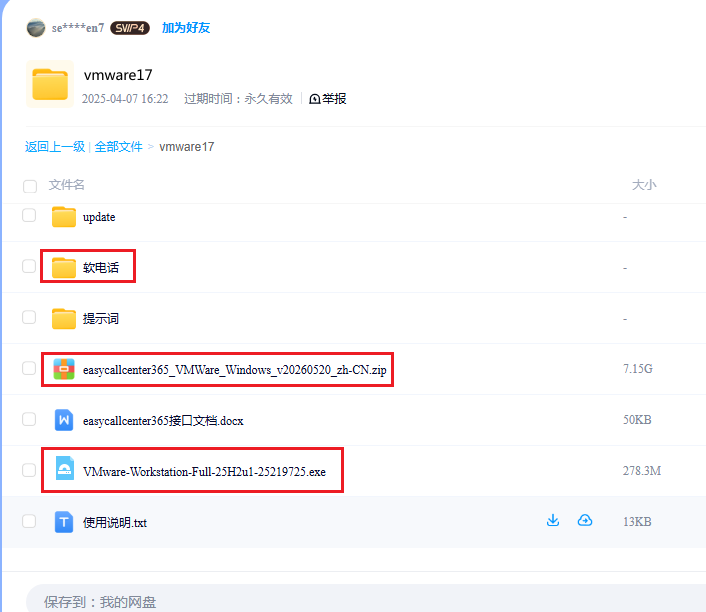
或者通过第二步的百度网盘下载 VMware-Workstation-Full-25H2u1-25219725.exe
https://www.vmware.com/products/desktop-hypervisor/workstation-and-fusion - 下载easycallcenter365的虚拟机镜像文件
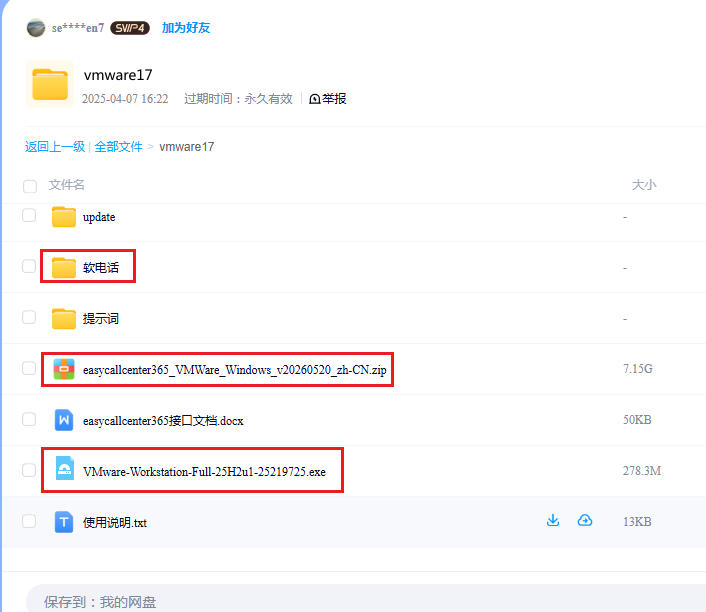
地址: https://pan.baidu.com/s/1xFgMPCu0VKHKnG69QhyTlA 提取码: etv5
只需要下载下图中标红的文件即可。
- 导入虚拟机文件到VMware中
注意VMware虚拟机的软件版本,需要是17 pro 及以上。
a. 解压缩 easycallcenter365_VMWare_Windows_v20260520_zh-CN.zip
b. 打开VMware,选择 "文件" -> "打开(O)", 找到刚才解压缩的目录,
选择文件 "Debian 12.5 64 bit.vmx"
c. 启动 "Debian 12.5 64 bit"
d. 如遇到提示,选择 "我已经复制该虚拟机"
e. 建议设置虚拟机配置为 4c/8g - 相关账号信息
虚拟机操作系统的用户名:root 密码:123456
MySQL数据库的用户名: root 密码:easycallcenter365 - 修改虚拟机IP
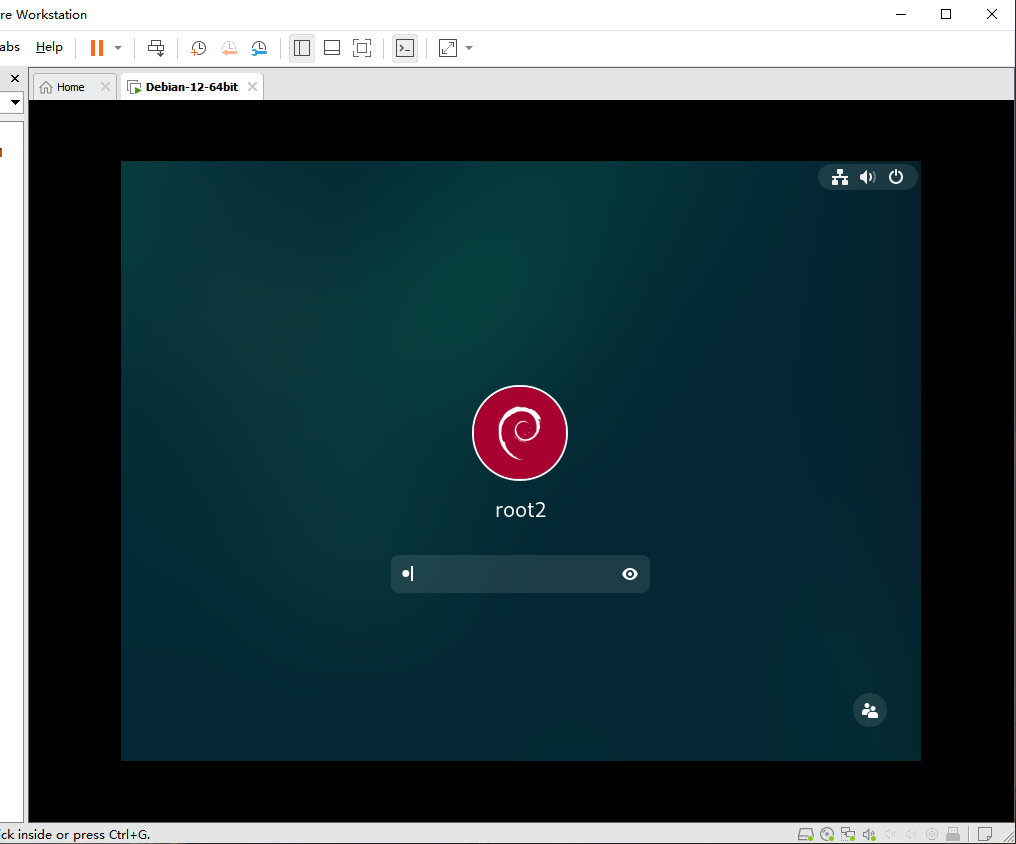
a. debian12的虚拟机设置,网络适配器,选择"桥接模式";
b. 启动虚拟机;
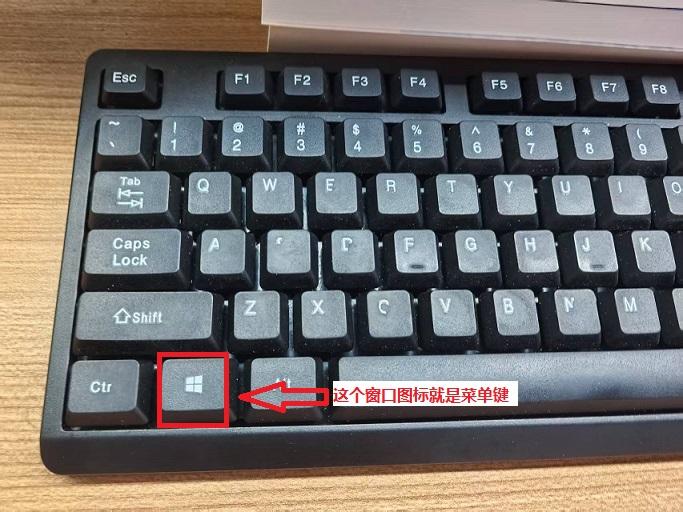
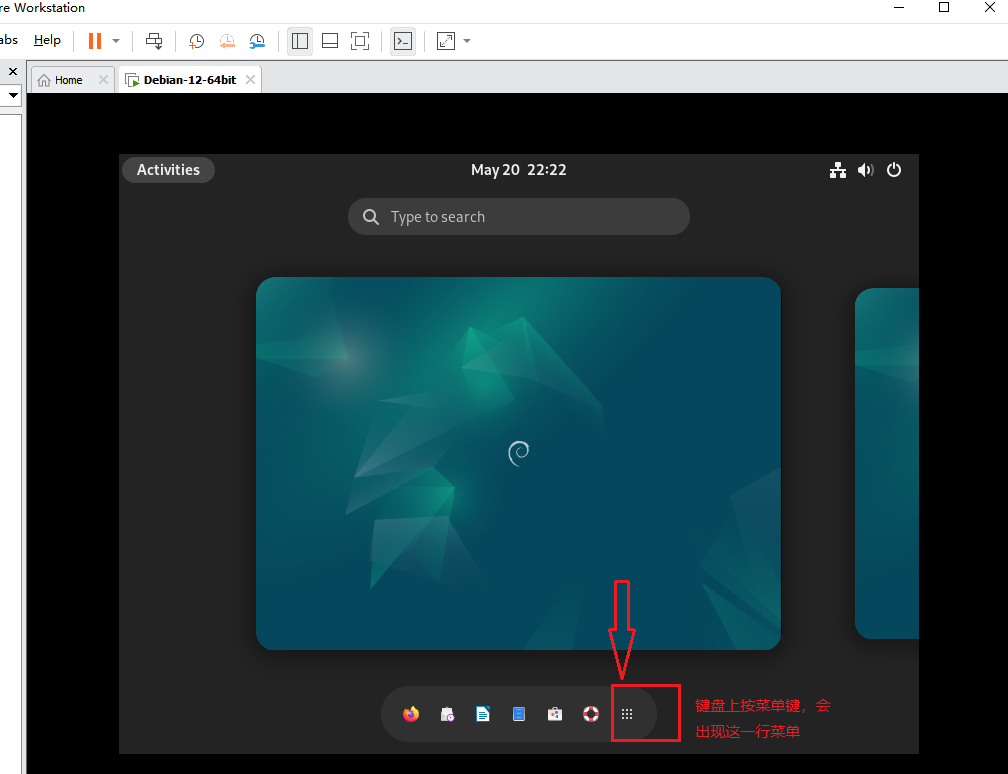
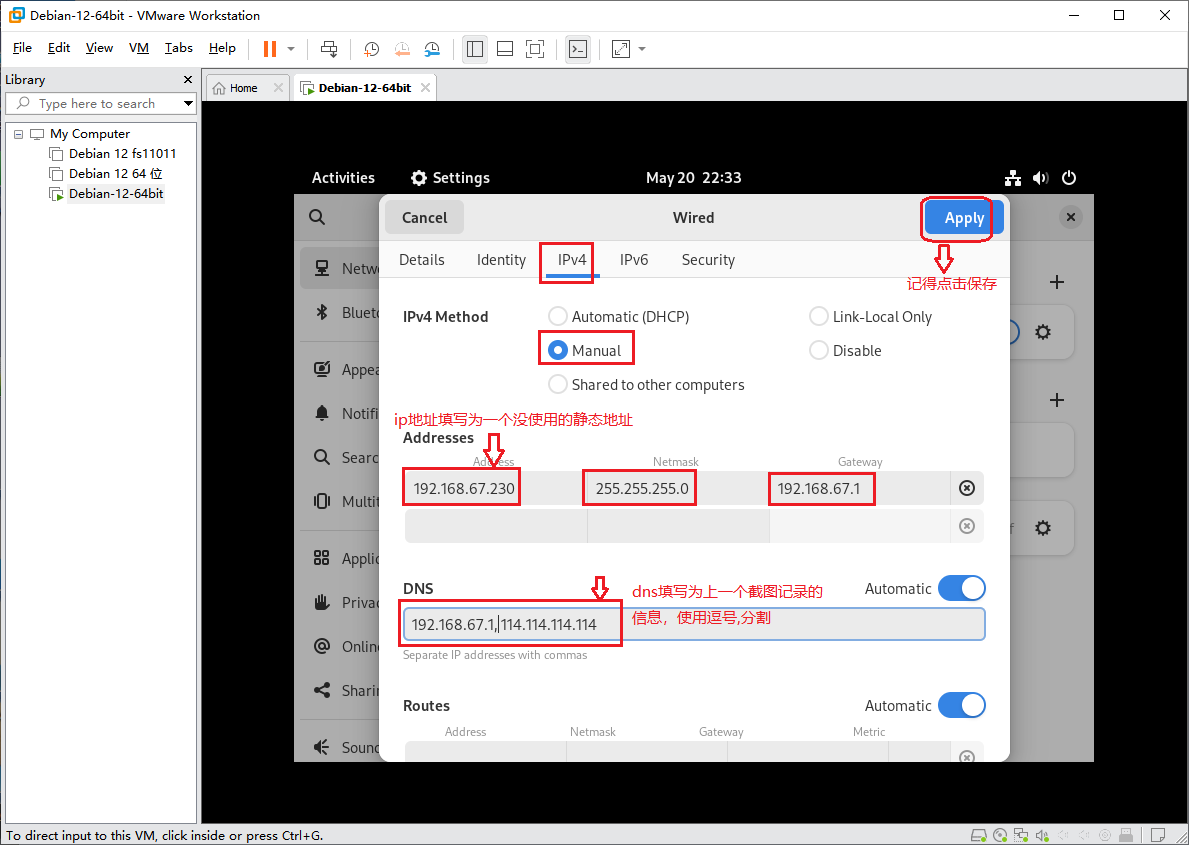
c. 配置虚拟机的IP地址及dns信息;
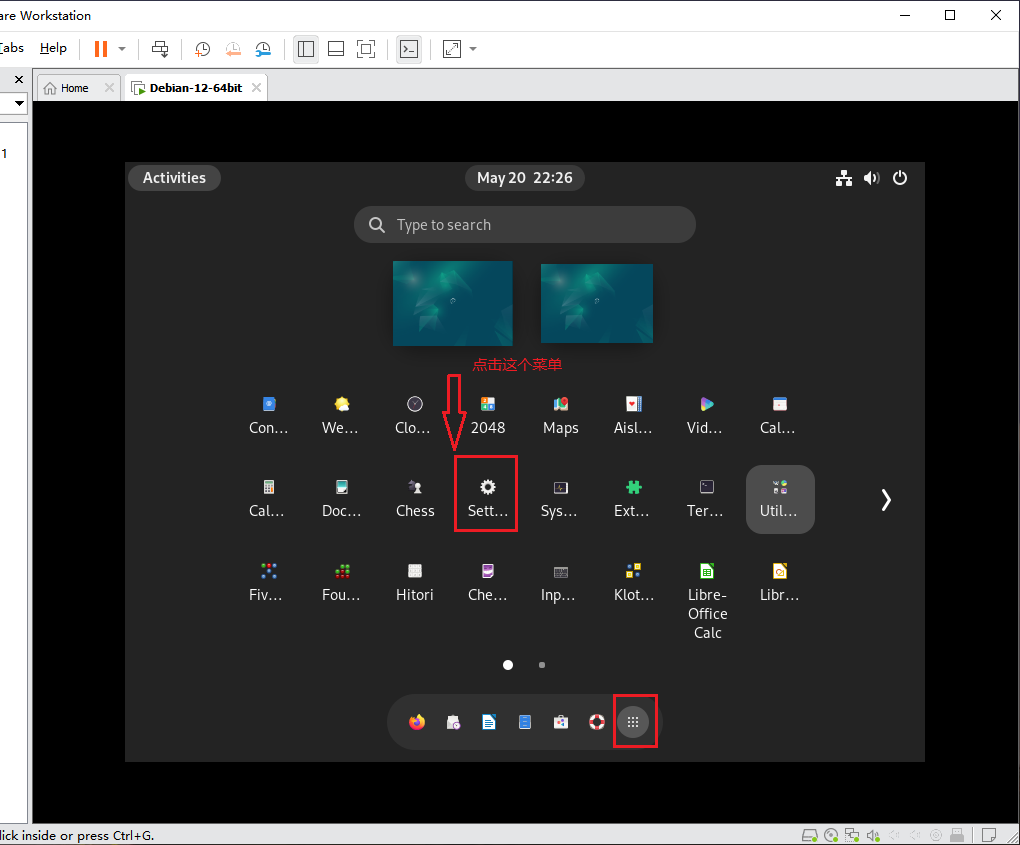
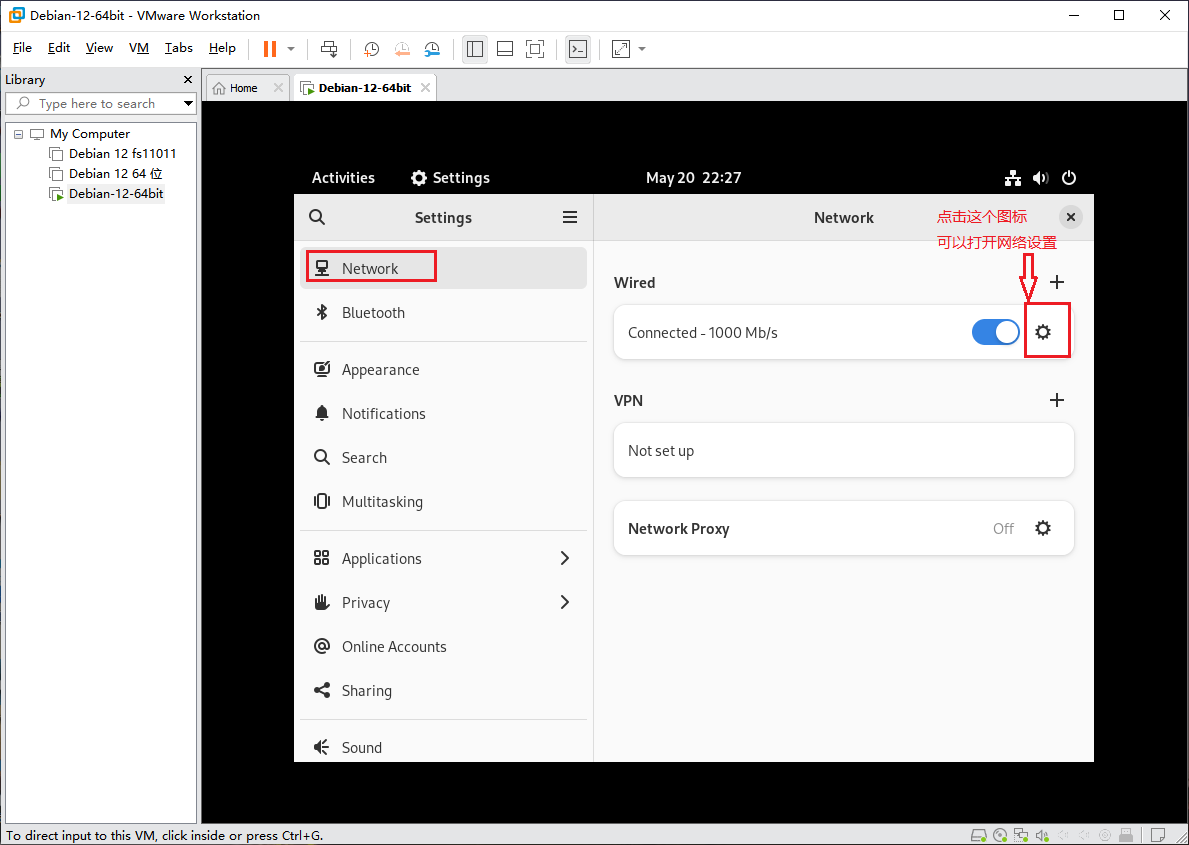
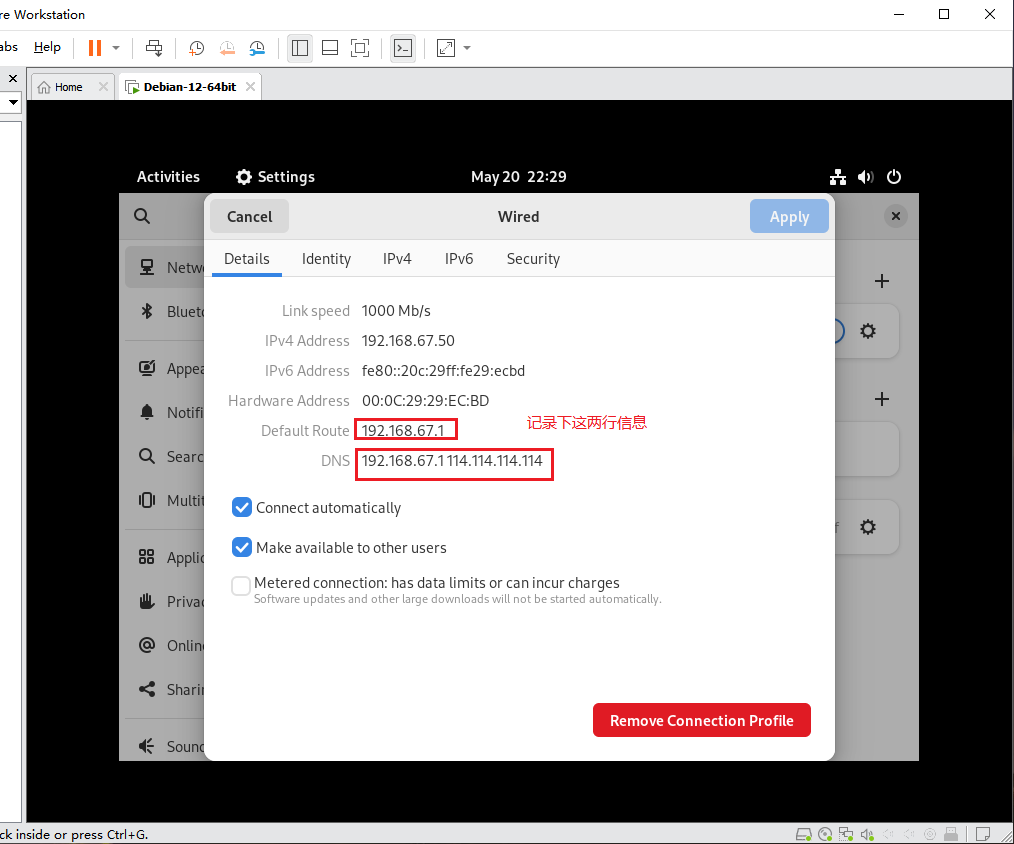
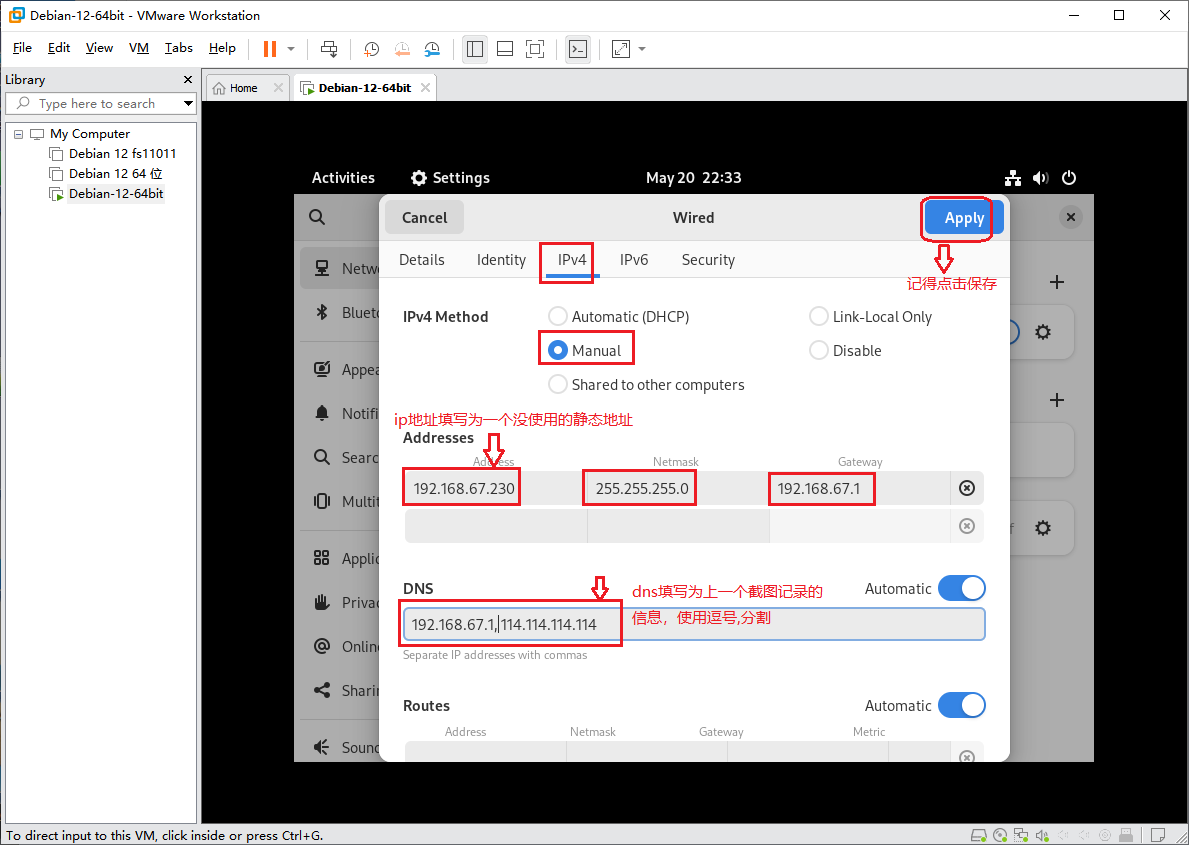
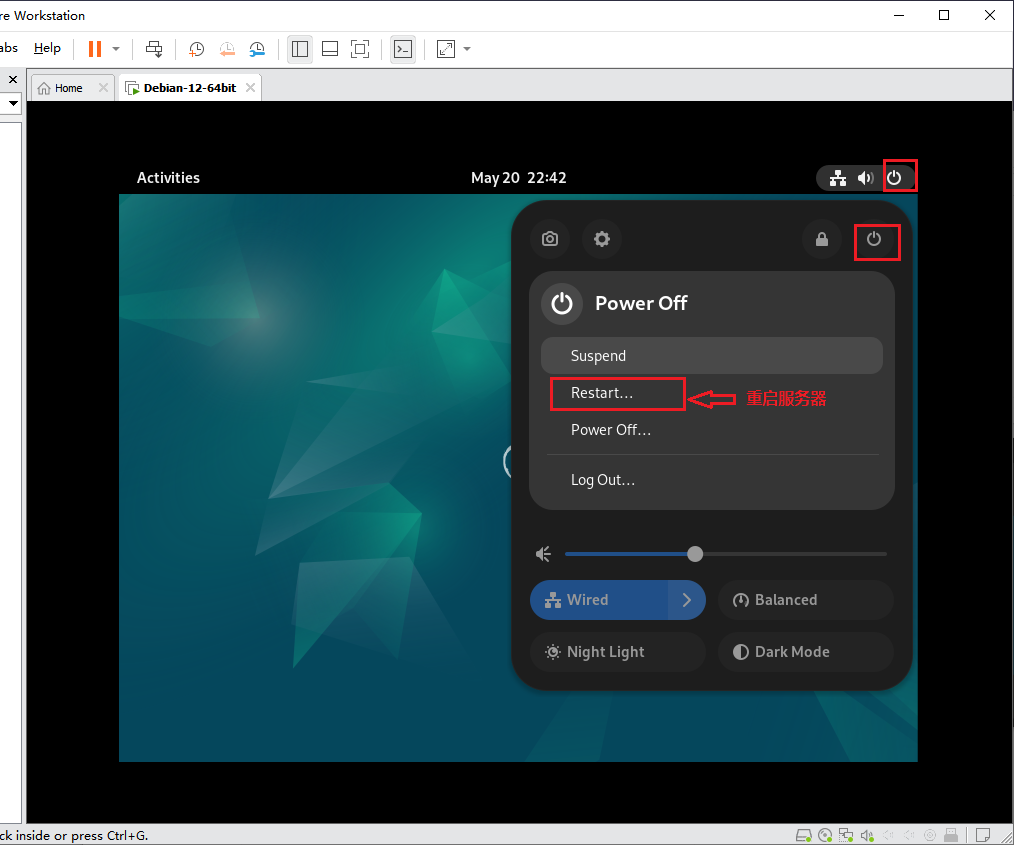
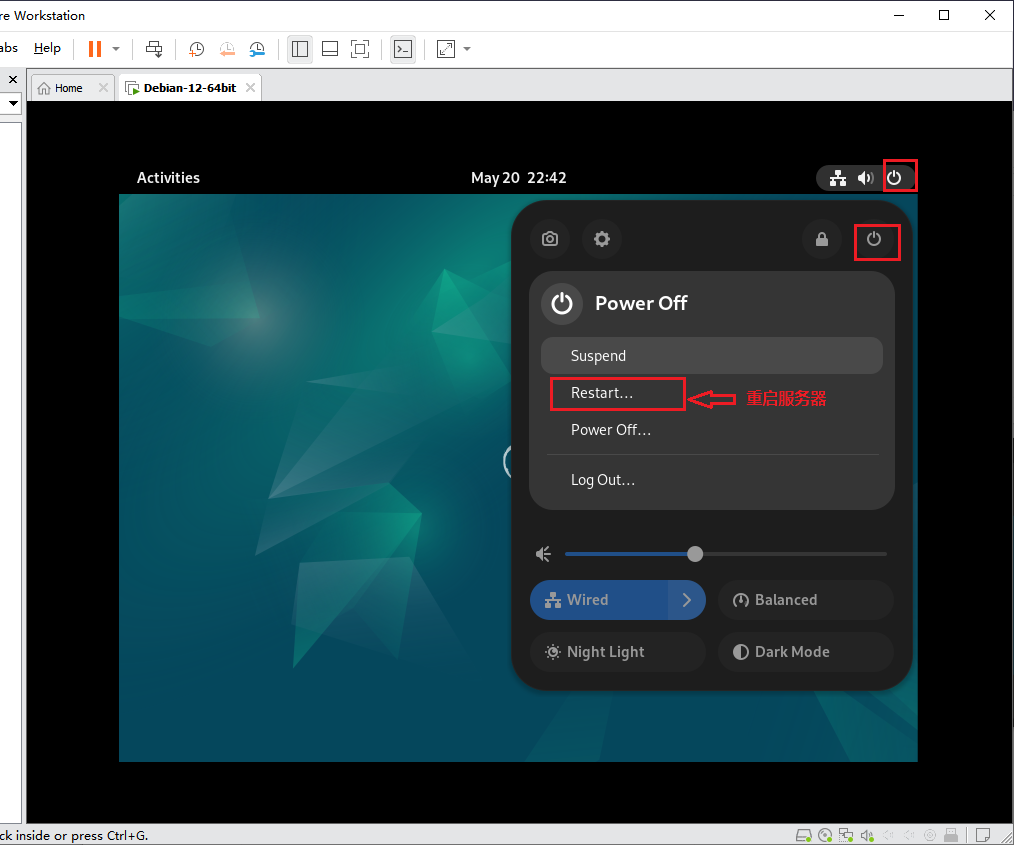
d. 重启虚拟机。 - 启动服务
开机2-3分钟后,easycallcenter365 程序会自动启动。
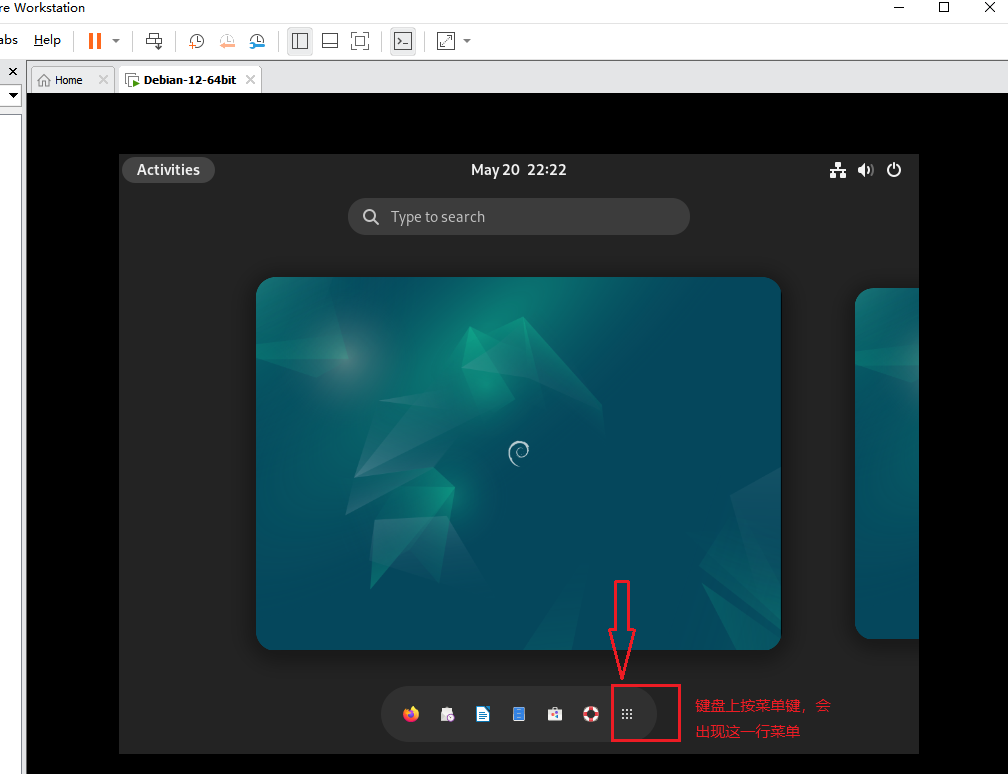
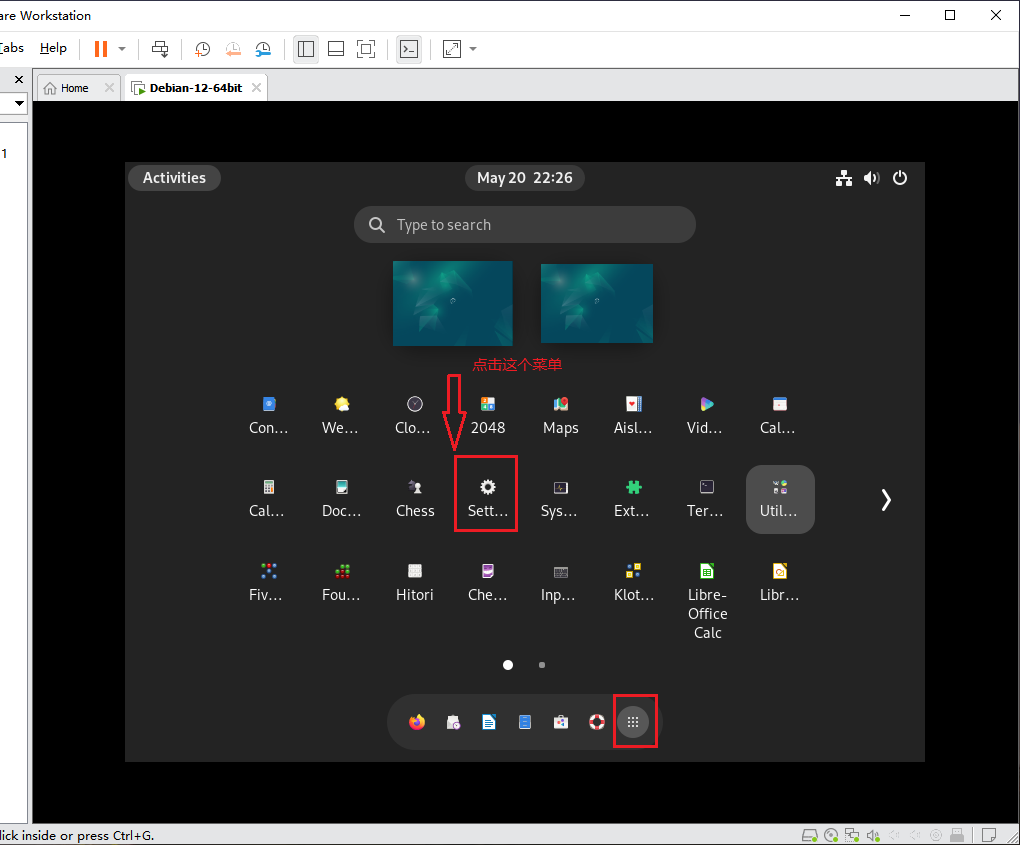
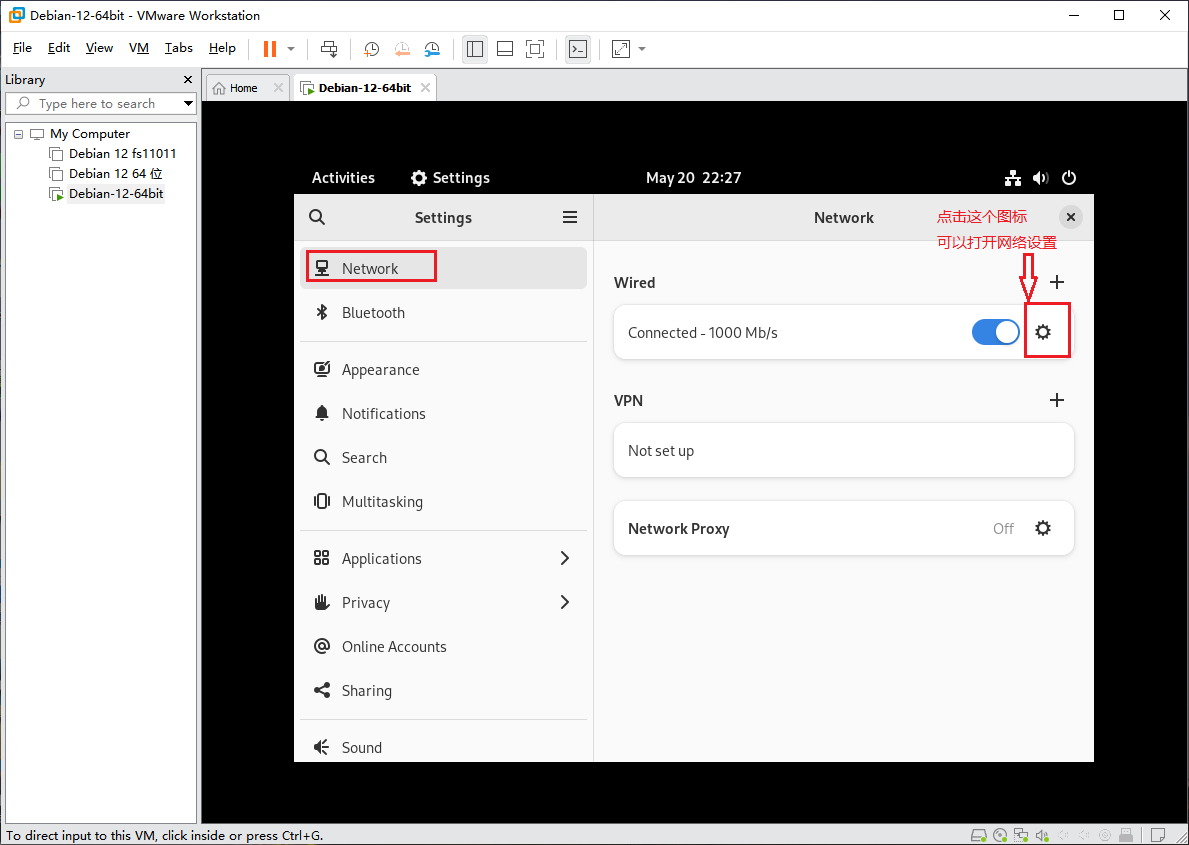
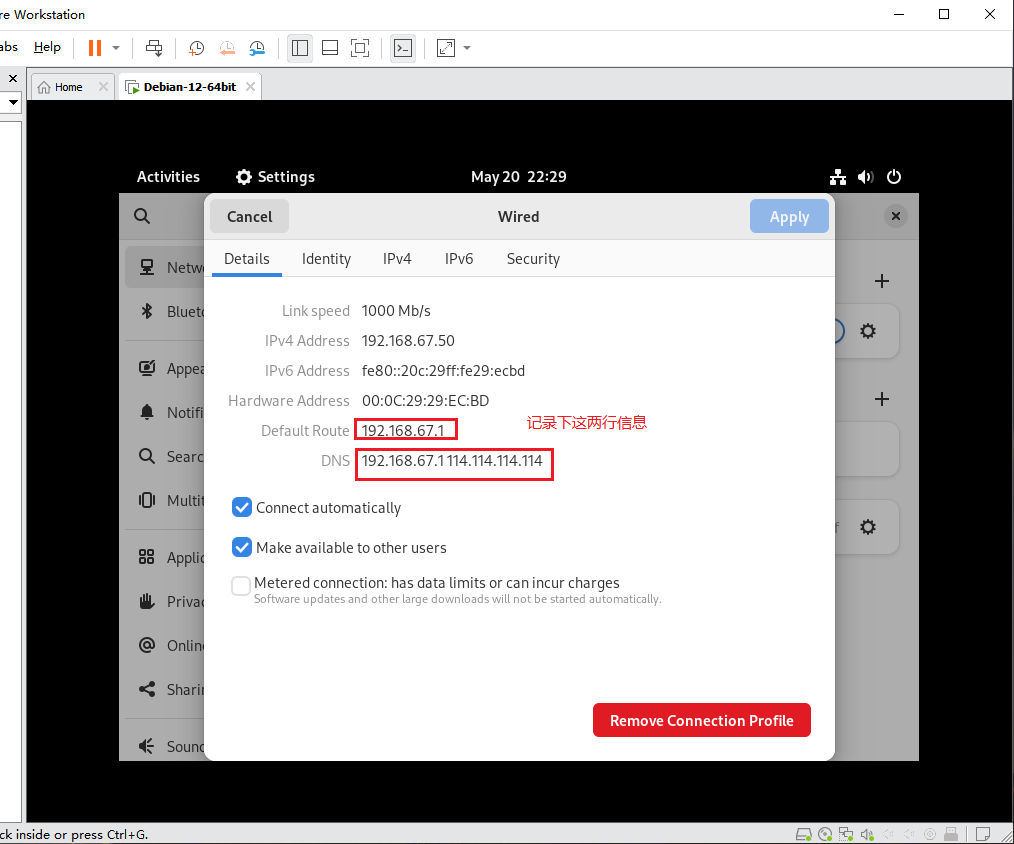
    查看View easycallcenter365EasyCallCenter365 日志:logs:    tail -f /home/easycallcenter365/logs/easycallcenter365.log

View Error 查看 FreeSWITCH 日志:Logs:                tail -f /home/freeswitch/easycallcenter365/logs/easycallcenter365-ERROR.log
    View SoftSwitch logs:           tail -f /home/easycallcenter365/softSwitch/var/log/freeswitch/freeswitch.log

    Enter 进入SoftSwitch FreeSWITCHConsole: 控制台:     docker exec -it freeswitch-debian12easycallcenter365-switch /usr/local/freeswitchvideo/bin/fs_cli

    Stop 停止服务:Service:                  cd /home/easycallcenter365/ && sh stop.sh