Amazon AWS
Obtain AWS Access Key and Secret Access Key
a. Log in to the AWS Management Console:https://console.aws.amazon.com/console/home
b. After logging in successfully, enter IAM in the search box to open the user management page,
then click the Create User button on the page.
c. Enter the username you want to create, then proceed to the next step: Set permissions.
d. On the Set permissions page, select Attach policies directly.
In the search box under Permissions policies, search for polly, then select AmazonPollyFullAccess.
Continue searching for transcribe in the search box, then select AmazonTranscribeFullAccess.
Click Next, and finally click Create User.
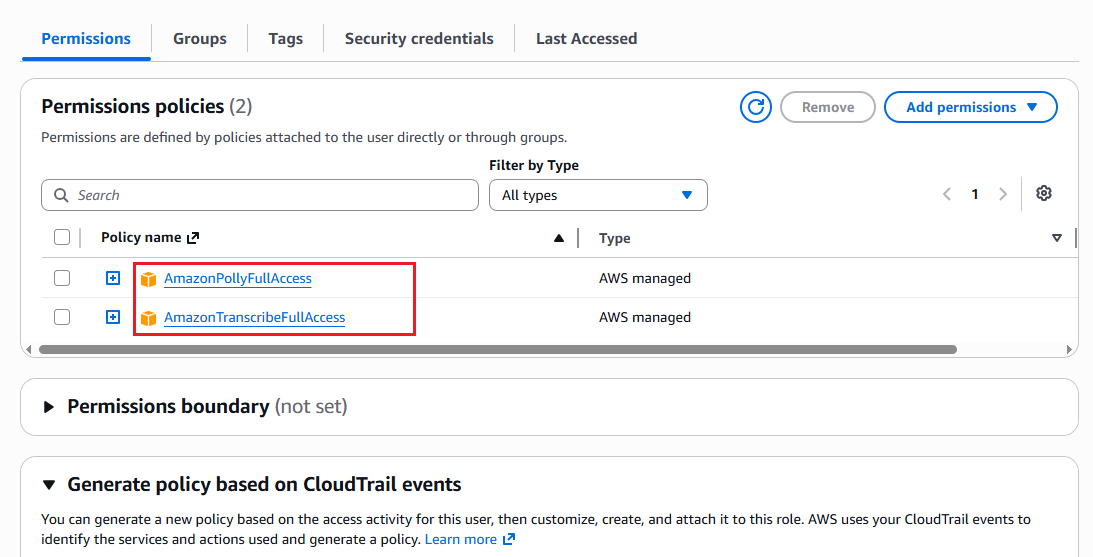
e. After the user is created successfully, you can view the user details.
On the Permissions tab, you should see the two permissions:
AmazonPollyFullAccess and AmazonTranscribeFullAccess.
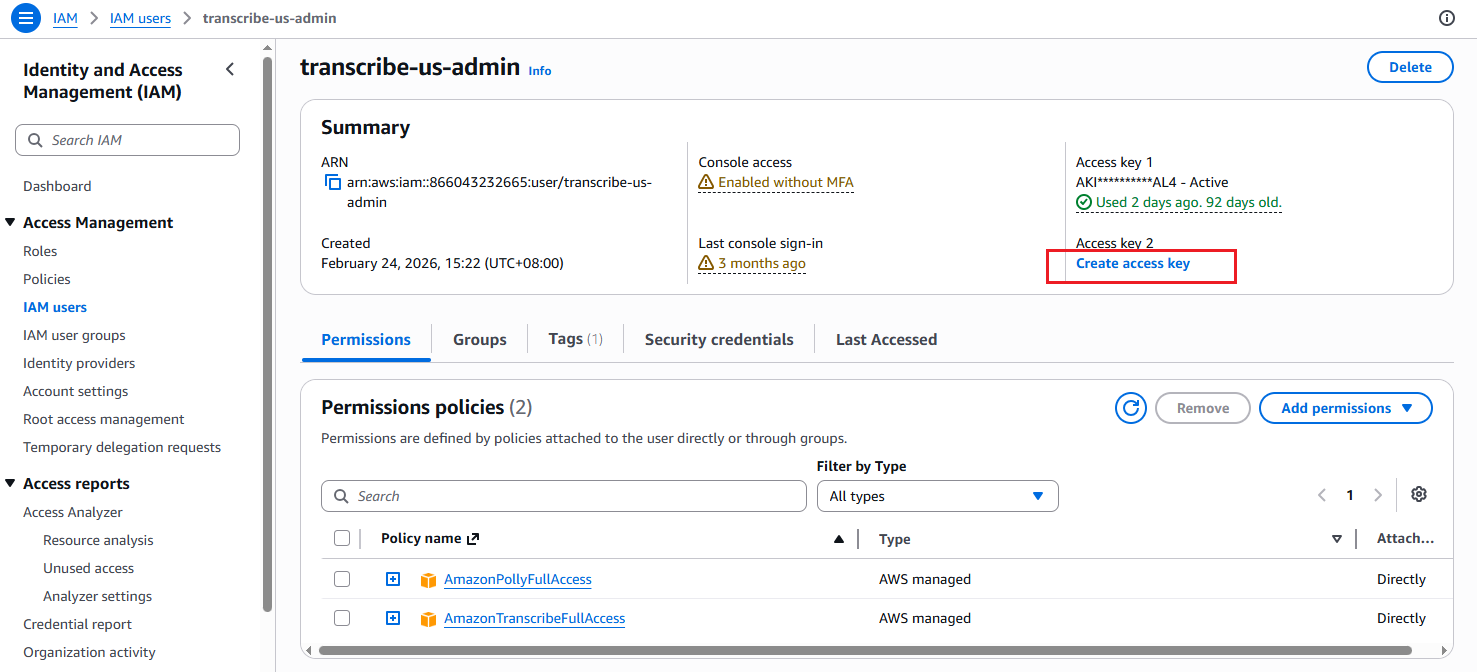
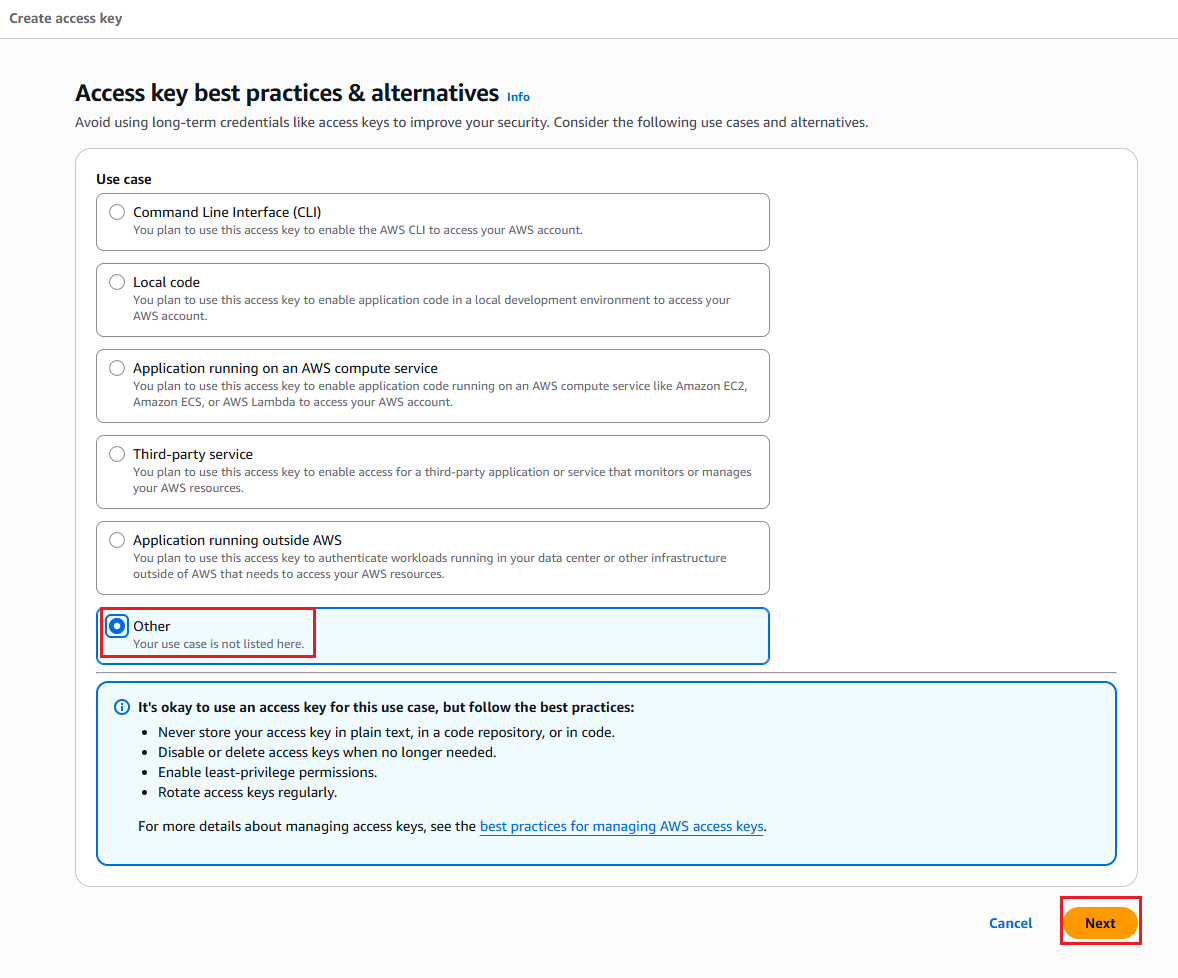
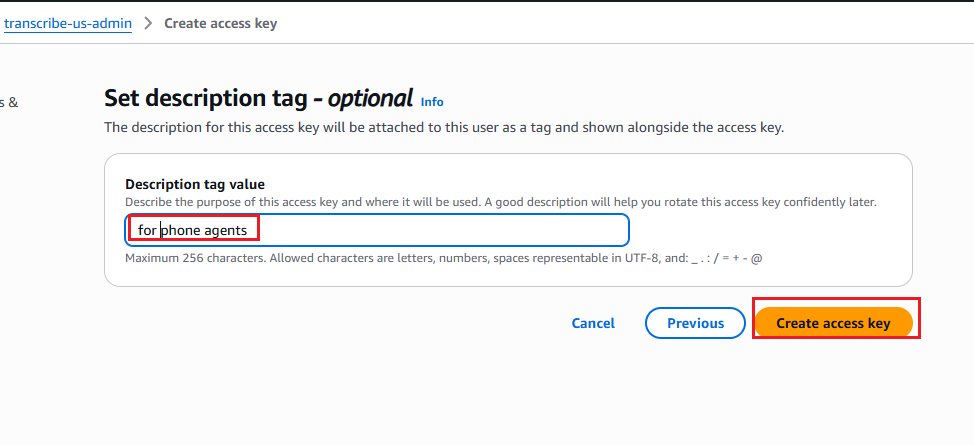
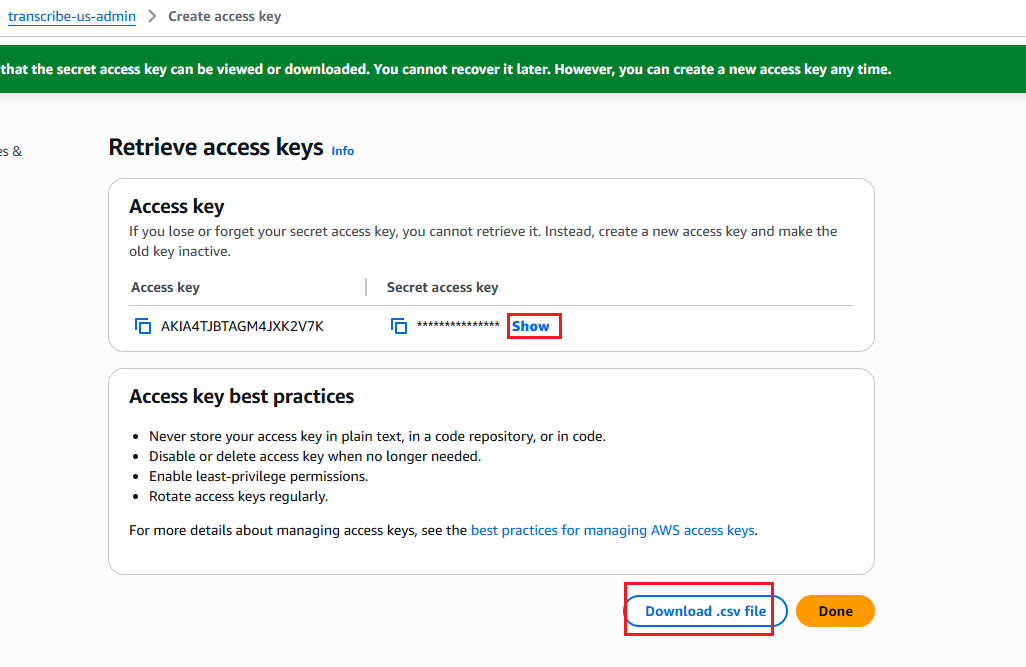
f. Create access key
After the user has been created, click the user to open the details page. Then create an Access Key for this user.
Amazon AWS Speech-to-Text Settings
Amazon AWS speech recognition supports 100 languages worldwide, and text-to-speech supports 42 languages.
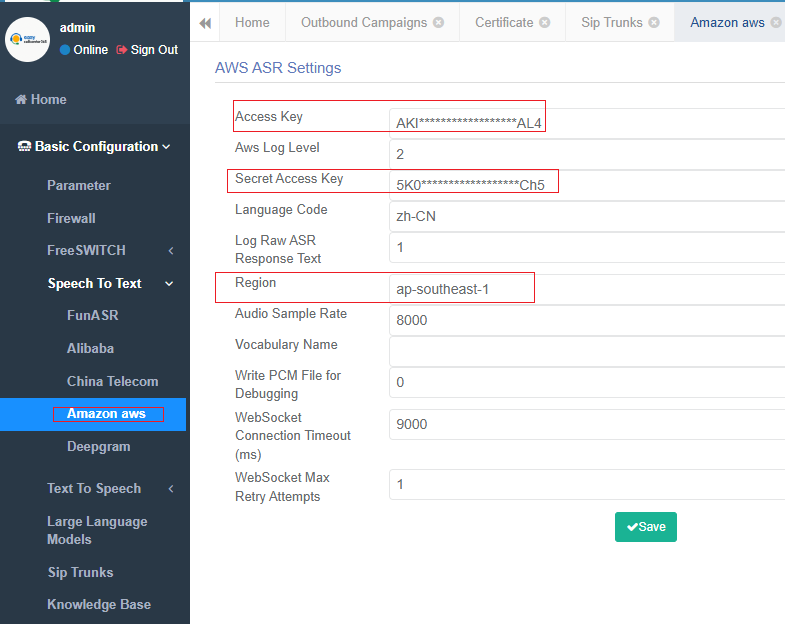
In the easycallcenter365 admin portal, go to: Basic Configuration -> Speech To Text-> Amazon Aws
Here, you need to configure three parameters: Access Key, Secret Access Key, and Region.
Region refers to the location where the service is hosted. The list of available regions is shown in the table below. Please select the appropriate region based on where your service is deployed.
| Region Name | Region Code |
|---|---|
| US East (N. Virginia) | us-east-1 |
| US East (Ohio) | us-east-2 |
| US West (Oregon) | us-west-2 |
| Canada (Central) | ca-central-1 |
| South America (São Paulo) | sa-east-1 |
| Europe (Frankfurt) | eu-central-1 |
| Europe (Ireland) | eu-west-1 |
| Europe (London) | eu-west-2 |
| Africa (Cape Town) | af-south-1 |
| Asia Pacific (Tokyo) | ap-northeast-1 |
| Asia Pacific (Seoul) | ap-northeast-2 |
| Asia Pacific (Mumbai) | ap-south-1 |
| Asia Pacific (Singapore) | ap-southeast-1 |
| Asia Pacific (Sydney) | ap-southeast-2 |
| Asia Pacific (Malaysia) | ap-southeast-5 |
| Asia Pacific (Thailand) | ap-southeast-7 |
| AWS GovCloud (US-East) | us-gov-east-1 |
| AWS GovCloud (US-West) | us-gov-west-1 |
How to Debug Amazon AWS Speech Recognition Online
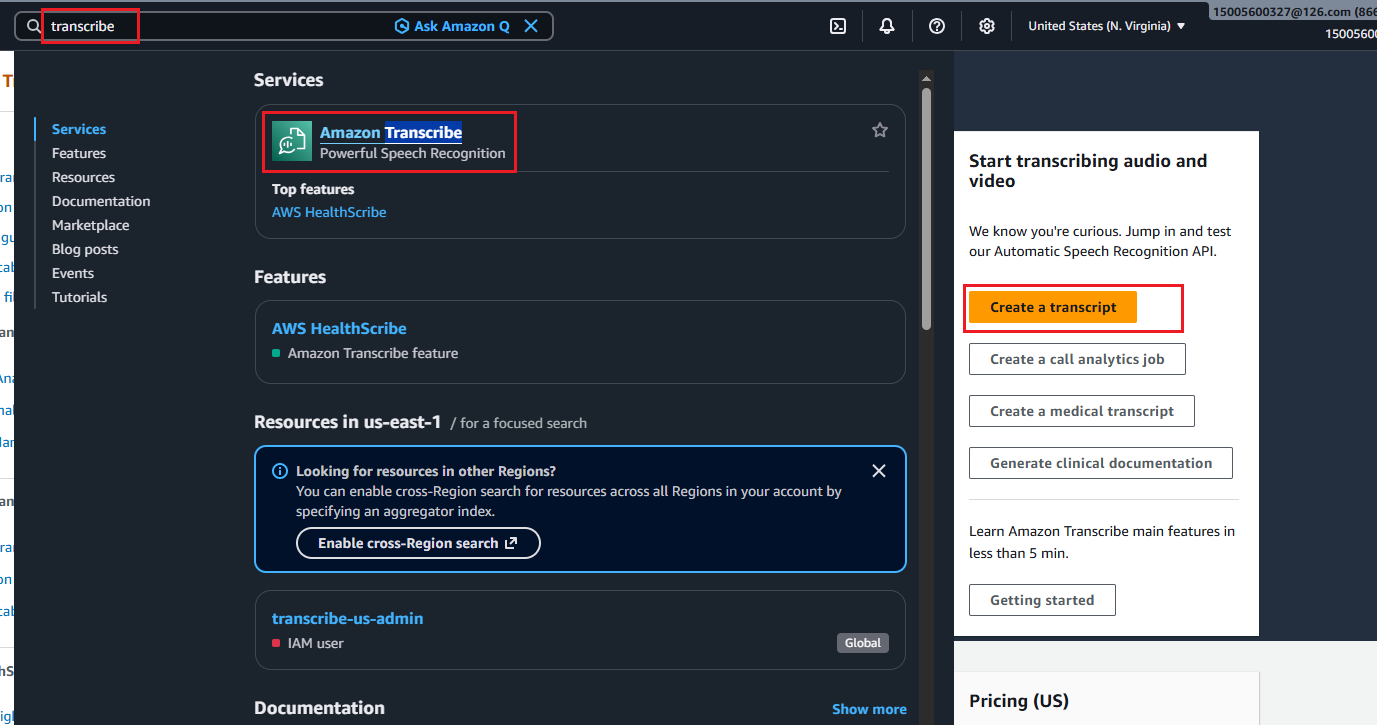
a. In the search box at the top of the AWS console, enter transcribe,
then click Amazon Transcribe to open the Transcribe home page.
b. Click Create a transcript on the page to enter the real-time speech transcription test page.
c. Click Start streaming to start the speech transcription test.
At this point, the browser will request microphone permission. Click Allow to grant access to the microphone.